Cleaning Joysticks: Does It Really Work? (What I’ve Seen Repeatedly)
That split-second delay when your character walks the wrong way can ruin the entire game. Cleaning Joysticks might not sound exciting, but it’s one of the simplest ways to restore precision and bring your controller back to life.
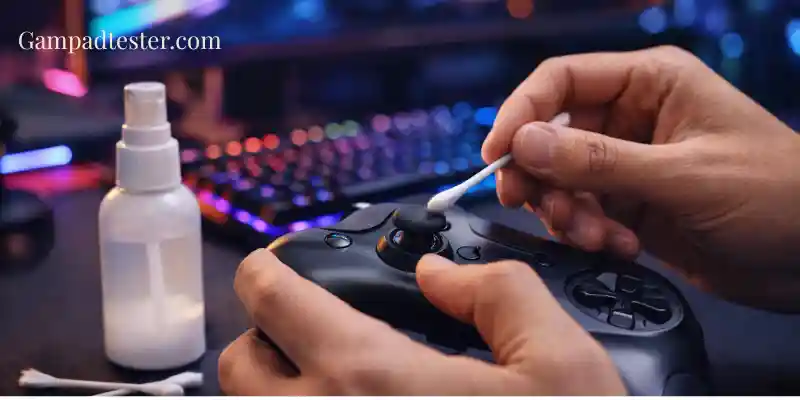
“Everyone Says ‘Just Clean It’ — But Does That Actually Work?”
This advice is everywhere.
The moment stick drift comes up, someone says:
“Just clean the joystick — it’ll fix it.”
After cleaning and testing many controllers over the years, here’s the honest answer:
Cleaning sometimes works — but only in very specific cases.
This article explains when cleaning helps, when it doesn’t, and how to tell the difference before wasting time.
My First Assumption (And Why It Was Wrong)
When I first dealt with stick drift, I assumed:
- Dirt causes drift
- Cleaning removes dirt
- Drift goes away
That logic sounds reasonable — but real hardware doesn’t behave that simply.
After cleaning:
- Some controllers improved immediately
- Some showed no change
- Some felt better for a day… then drift returned
That pattern taught me something important: Cleaning helps reduce contamination — not wear.
The Two Types of Stick Drift (Why Cleaning Fails Often)
From repeated testing, stick drift almost always falls into one of two categories:
1. Contamination-Based Drift
Caused by:
- Dust
- Skin oils
- Fine debris
- Residue buildup
Cleaning can help this type.
2. Wear-Based Drift
Caused by:
- Potentiometer wear
- Sensor degradation
- Mechanical looseness
❌ Cleaning does not fix this.
Most long-term drift is wear-based — which is why cleaning often disappoints.
How I Tell Which Type It Is (Before Cleaning)
This is critical.
Before cleaning, I always test:
- Does the axis value creep on its own?
- Does it worsen the longer it sits?
- Does movement feel loose or inconsistent?
- Does the value return cleanly after movement?
From experience:
- Creeping = wear
- Stable offset = possible contamination
If it creeps, I don’t expect cleaning to help much.
When Cleaning Actually Works (Real Success Cases)
Cleaning tends to work when:
- Drift appeared suddenly
- The controller isn’t very old
- The environment is dusty or humid
- The controller was heavily used recently
- Axis values are stable but offset
In these cases, I’ve seen:
- Immediate improvement
- Reduced offset
- Better return-to-center behavior
Sometimes it lasts months — sometimes weeks.
When Cleaning Almost Never Works
From experience, cleaning rarely helps when:
- The controller is years old
- Drift worsens steadily
- Axis values move without touching the stick
- Deadzones must be maxed out
- Cleaning already failed once
At that point, the internal components are worn.
Why Cleaning Feels Like It Works (Even When It Doesn’t)
This is a subtle but important point.
Cleaning often:
- Improves movement temporarily
- Changes friction
- Redistributes internal contact
This can:
- Reduce drift briefly
- Make the stick feel smoother
- Create the illusion of a fix
But once wear is present, the drift usually returns.
A Real Example From My Own Testing
I tested two controllers side by side:
Controller A
- Drift around 0.04
- Stable
- No creeping
Cleaning result:
- Improved to 0.01
- Stayed stable for months
Controller B
- Drift around 0.03
- Slowly crept to 0.10
Cleaning result:
- No meaningful change
- Drift returned within minutes
Same method — completely different outcomes.
What Cleaning Cannot Do (Important)
Cleaning does not:
- Repair worn sensors
- Restore lost material
- Fix loose components
- Reverse aging
If drift is mechanical, cleaning only delays the inevitable — if that.
How I Clean (Only When It’s Worth Trying)
When I do clean, I keep it minimal and safe:
- Disconnect the controller
- Use high-purity isopropyl alcohol
- Lightly clean around the stick base
- Rotate the stick gently
- Let it dry completely
- Re-test immediately
No soaking. No force. No shortcuts.
Why Aggressive Cleaning Makes Things Worse
I’ve seen controllers ruined by:
- Excess liquid
- Compressed air forced inside
- Repeated harsh cleaning
This can:
- Push debris deeper
- Damage internal lubrication
- Accelerate wear
More cleaning ≠ better results.
How I Decide Whether to Keep Using a “Cleaned” Controller
After cleaning, I always ask:
- Did the values improve?
- Are they stable?
- Did gameplay improve?
- Did drift return quickly?
If drift returns fast, I stop trying to clean and move on.
Cleaning Is a Test — Not a Cure
This is the mindset shift most people need.
Cleaning answers one question:
“Is contamination part of the problem?”
If the answer is no, it’s time to stop and consider other options.
Use Testing to Judge Cleaning Results Honestly
Never trust feel alone.Use Gampadtester.com to compare axis values before and after cleaning. If the numbers don’t improve meaningfully, neither will the controller.