Gamepad Tester Limitations Explained (What Browsers Can and Can’t Do)
If you’ve tested your controller and everything appears normal—yet stick drift, input lag, or missed actions still happen—you’re not alone. Gamepad Tester limitations can make it difficult to detect certain issues, leading to frustration when problems don’t show up during testing.
“Why Can’t the Tester Fix My Controller?”
I’ve seen this misunderstanding enough times that it deserves its own article.
Someone runs a test, sees an issue, and asks:
“Okay, how do I fix it from here?”
That question makes sense — but it’s based on a misunderstanding of what browser-based gamepad testers are designed to do.
From years of hands-on testing, here’s the truth: Online gamepad testers are diagnostic tools, not repair tools.
And that’s not a weakness — it’s exactly why they’re useful.
My Early Assumptions (And Why They Were Wrong)
When I first started testing controllers in browsers, I assumed:
- The browser could do more than it actually can
- If it can read input, maybe it can change something
- Maybe drift could be “reset” or “corrected.”
After deep testing and reading browser specs, it became clear:
- Browsers are intentionally limited
- Hardware control is off-limits
- And that’s by design
Once you understand those limits, browser testers make perfect sense.
What Online Gamepad Testers Are Really For
From real-world use, browser-based testers excel at:
- Verifying whether inputs are detected
- Checking button responsiveness
- Observing joystick behavior
- Identifying stick drift
- Comparing USB vs Bluetooth input
- Diagnosing “is it hardware or software?”
They answer the most important question first:
Is the controller sending correct input or not?
That alone saves time, money, and frustration.
What Browsers Can Reliably Do
Based on repeated testing across platforms, browsers can reliably:
Read Input Data
Buttons, axes, triggers — all reported accurately.
Show Real-Time Changes
You see input as it happens, not simulated data.
Compare Controllers
Side-by-side testing is extremely useful.
Reveal Early Hardware Issues
Subtle drift and inconsistent inputs show up clearly. These are the core strengths of tools like Gampadtester.com
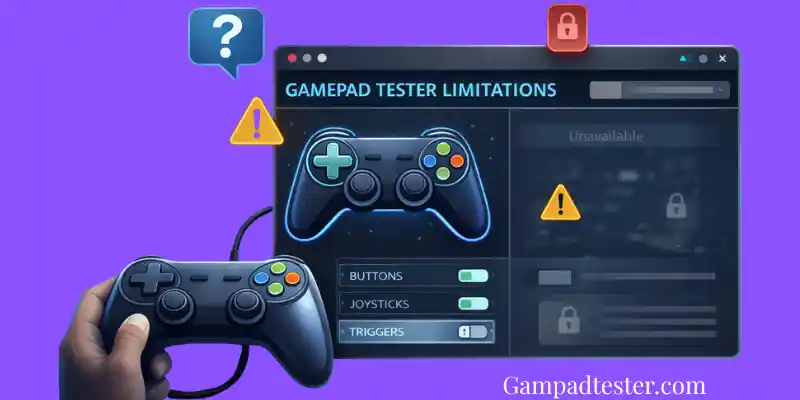
What Browsers Cannot Do (By Design)
This is where expectations need to be realistic.
From experience, browsers cannot:
❌ Fix stick drift
❌ Apply firmware updates
❌ Recalibrate hardware at OS level
❌ Change driver behavior
❌ Force vibration support
❌ Remap buttons system-wide
❌ Override controller firmware
If a tester claims to do these things, it’s either:
- Misleading
- Or doing something outside the browser (which is risky)
Why Browsers Are So Limited With Hardware
This isn’t laziness — it’s intentional.
Browsers are sandboxed for:
- Security
- Privacy
- Stability
Allowing websites to:
- Modify hardware behavior
- Reprogram devices
- Control drivers
Would be a massive security risk.
From an expert standpoint, read-only access is the correct tradeoff.
Why Vibration Testing Is Especially Limited
This one confuses users a lot.
In my own testing:
- Some controllers vibrate
- Some don’t
- Same browser, same page
That’s because vibration support depends on:
- Controller hardware
- Driver support
- OS permissions
- Browser implementation
Browsers do not have universal control over vibration motors — and likely never will.
Why Calibration Isn’t Possible in Browsers
Another common request:
“Can’t the tester just re-center my joystick?”
No — and here’s why.
Calibration:
- Writes data to the OS or firmware
- Alters how input is interpreted system-wide
- Requires elevated permissions
Browsers are intentionally blocked from doing this.
That’s why calibration tools live at:
- OS level
- Driver level
- Manufacturer software level
Why Honest Testers Explain Their Limits
From experience, the best tools:
- Don’t promise miracles
- Don’t hide limitations
- Don’t fake fixes
They show:
- Raw data
- Honest results
- Clear boundaries
That’s how you know a tester is trustworthy.
How to Use a Gamepad Tester the Right Way
This is how I personally use browser testers:
- Test input behavior
- Identify what’s wrong
- Decide next steps
- Clean
- Recalibrate at OS level
- Update firmware
- Repair or replace
The tester informs the decision — it doesn’t make it for you.
Why Limitations Actually Build Trust
Here’s something I’ve learned over time:
Users trust tools more when:
- Limits are explained clearly
- Results are transparent
- Nothing is hidden or exaggerated
Pretending browsers can do more than they can only leads to frustration.
Why Gampadtester.com Is Honest About Capabilities
Gampadtester.com doesn’t:
- Mask drift with artificial deadzones
- Rename devices to “look nicer”
- Claim to fix hardware problems
It shows:
- What your controller is sending
- What the browser receives
- What you need to know to act next
That’s expert-level diagnostics — not gimmicks.
Test Smart, Not Hopefully
If you understand what browser testers can and can’t do, you’ll get real value from them. Use Gampadtester.com to diagnose your controller accurately then decide the best fix with confidence. That’s how professionals approach hardware testing.
- Is Small Stick Movement Normal? (When You Should Ignore It)
- How to Test Stick Deadzone Online (Step-by-Step, What to Look For)
- Can We Fix Stick Drift Without Opening the Controller (What Actually Works)
- How Online Gamepad Testers Work (Complete Explanation)
- Chrome vs Firefox vs Edge: Which Browser Is Best for Gamepad Testing?