
Xbox Series Gamepad Noisy or Sticky LT and RT Triggers
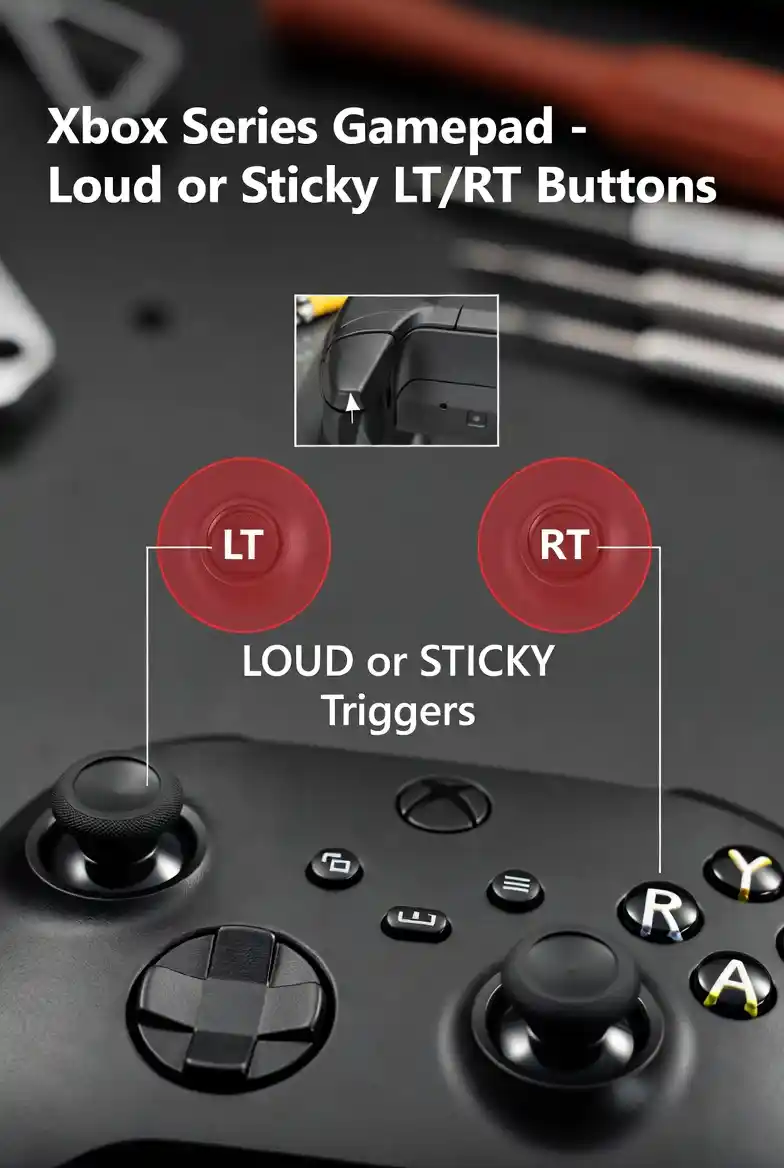
Xbox Series controllers are built for precision, but trigger issues can still develop over time. If your LT or RT buttons feel sticky, sluggish, or make an unusual noise, it can disrupt your overall gaming experience. These problems are often caused by worn or dirty internal components. Fortunately, with the right approach, you can fix them and restore smooth trigger performance.
Issue Description
Some users experience problems with the LT (left trigger) or RT (right trigger) buttons on the Xbox Series controller. A common complaint is a noticeable “plastic-on-plastic” clicking or grinding sound when pressing the triggers. This noise often indicates wear or improper contact within the trigger mechanism.
Another issue is when the triggers feel sticky, unresponsive, or slow to return after being pressed. This can affect gameplay performance, especially in games that rely on quick trigger actions. In most cases, these problems are caused by worn-out or dirty rubber pads inside the controller.
Repair Steps
To fix noisy or sluggish triggers, you’ll need to carefully open the controller and service the internal components. Start by removing the back housing cover to access the trigger assembly. Make sure to handle the internal parts gently, as they can be sensitive.
Once opened, locate the rubber pads beneath the LT and RT triggers. Remove the old pads and clean them thoroughly. Use isopropyl alcohol and a soft cloth or cotton swab to wipe away dust, debris, or residue that may be affecting performance.
If the pads are worn or damaged, it’s recommended to replace them with new ones. Replacement rubber pads are widely available on online marketplaces such as AliExpress or other electronics parts stores. Install the new pads properly, ensuring they are aligned correctly before reassembling the controller.
Testing
After completing the repair and reassembling the controller, it’s important to test the triggers to confirm everything is working correctly. You can use Gampadtester.com to check trigger responsiveness and input accuracy in real time.
Press the LT and RT buttons multiple times to ensure they move smoothly, return quickly, and no longer produce unusual noise.
- PS5 Gamepad Analog Stick Replacement GuideAnalog stick issues on PS5 controllers can significantly affect gameplay accuracy and control. Problems like drifting or unresponsive stick clicks are common after extended use. Fixing these issues requires technical skill and proper tools, as the analog module is soldered directly onto the board. This guide explains the problem, diagnosis, and replacement process step by…
- Xbox Series Gamepad Noisy or Sticky LT and RT TriggersXbox Series controllers are built for precision, but trigger issues can still develop over time. If your LT or RT buttons feel sticky, sluggish, or make an unusual noise, it can disrupt your overall gaming experience. These problems are often caused by worn or dirty internal components. Fortunately, with the right approach, you can fix…
- Xbox One Controller Drift After New Analog Stick Replacement: Full Repair GuideStick drift can be especially confusing when it appears after fitting a new analog module. In many Xbox One controllers, this happens because the replacement part does not match the original electrical values closely enough. Even a small difference in resistance can make the controller read movement while the stick is resting in the center….
- Xbox Series Gamepad Drift Fix: Analog Replacement And Manual Resistance Adjustment GuideStick drift is one of the most common issues affecting Xbox Series controllers, and it can become even more frustrating when it appears after installing a brand-new analog stick. Many users assume that replacing the analog module will completely solve the problem. However, in reality, slight variations in the electrical characteristics of the new components…
- PS5 Edge Gamepad Analog Replacement and Calibration Guide: HALLA, TMR, and Original SticksReplacing the analog stick on a PS5 DualSense Edge controller is not a simple beginner repair. The motherboard pads are delicate, the analog module requires careful soldering, and calibration needs an extra wire connection to save the correct data inside the controller. This guide explains the key steps for replacing and calibrating HALLA, TMR, or…